
Test Every User Role Automatically
Provide login credentials for each user role and PrimeCompass crawls as all personas in parallel. It compares what each role can access, surfaces permission gaps, and identifies access control issues that single-user testing never catches.
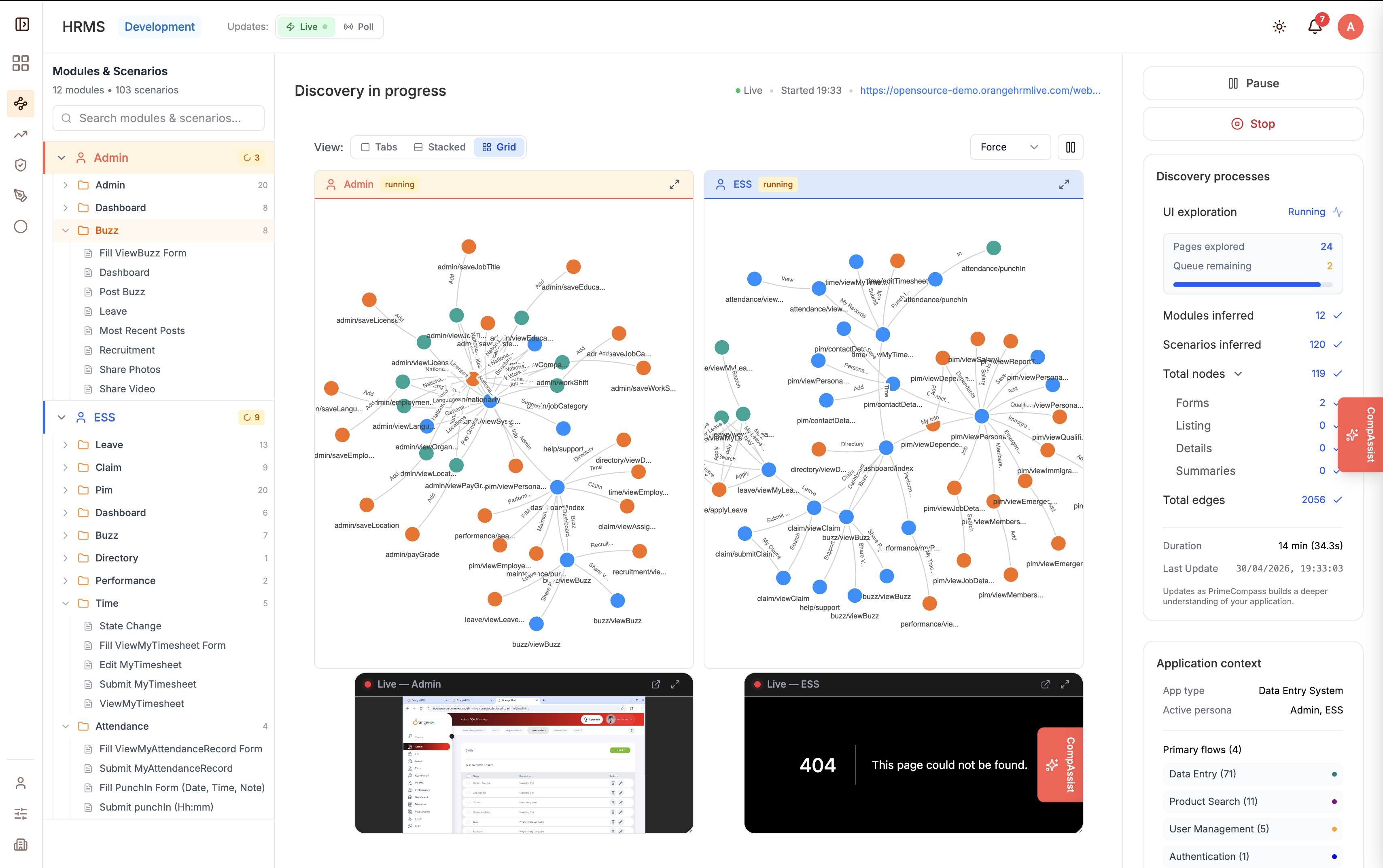
How Multi-Persona Testing Works
One scan, every role — complete permission visibility.
Parallel Persona Crawling
Provide credentials for Admin, Editor, Viewer, Guest — PrimeCompass crawls as all roles simultaneously, saving hours of manual testing.
Permission Gap Detection
Automatically identifies pages and actions accessible to roles that shouldn't have access — before attackers find them.
Access Control Matrix
Generates a complete matrix showing exactly which pages and features each role can access, compared side by side.
Authentication Flow Testing
Tests login, logout, session expiry, and token refresh across every persona to ensure auth flows work correctly for all roles.
Anomaly Reporting
Flags unexpected access patterns — like a Viewer reaching an admin page or a Guest accessing authenticated content.
Coverage Comparison
See how many pages each role can reach, what's shared, and what's exclusive — with visual diff reports.
Common Use Cases
- Validate RBAC implementation before a security audit
- Ensure new features respect permission boundaries
- Catch privilege escalation bugs in complex role hierarchies
- Verify that sensitive data is hidden from unauthorized roles
- Generate evidence for compliance and SOC 2 audits
Next feature
BDD Scenario Generation